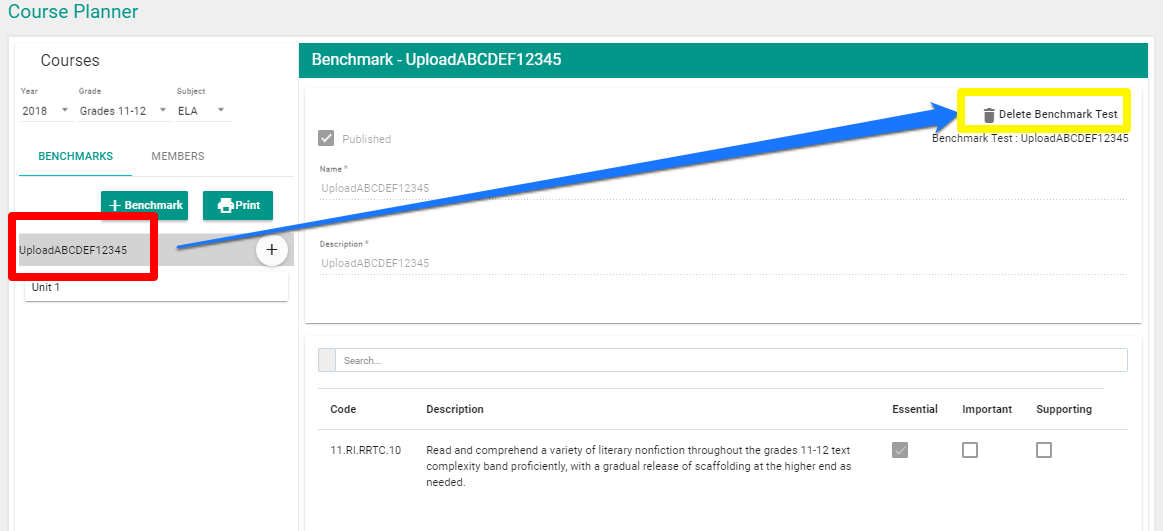
How do I Delete Existing Benchmarks? FocalPointK12 Support Agent October 14, 2019 19:29 Updated Locate the Benchmark you wish to delete and click the ‘Delete’ button. Related articles How can I access real time assessment reports immediately after an assessment is scored? Comments 0 comments Please sign in to leave a comment.

Comments
0 comments
Please sign in to leave a comment.