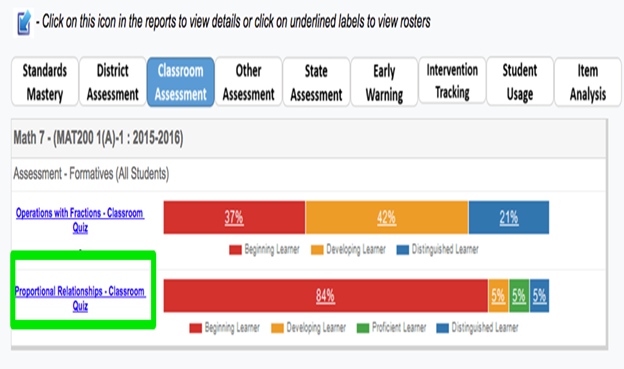
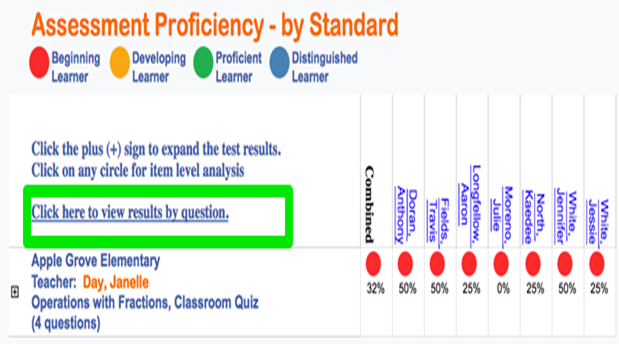
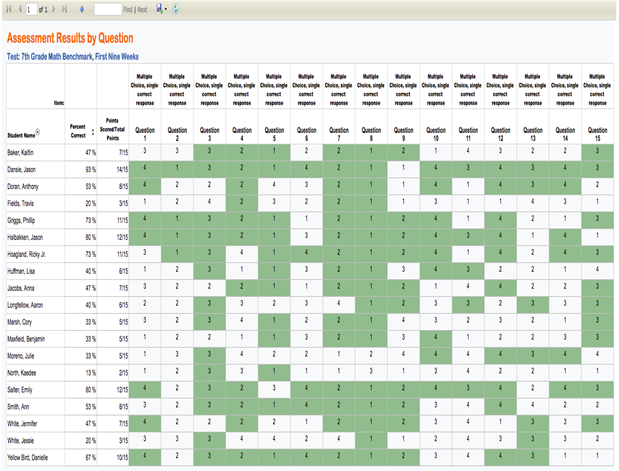
How do I access reports that show results by question? FocalPointK12 Support Agent May 17, 2018 21:09 Updated To view results by question, select the test by clicking the link on the left. Click on the ‘Click here to view results by question’ Tab. The report is now available. Related articles Course Designer: Learning Tab - Activity Flow Designer How do I access reports that show results by domain and standard? How do I access reports that show both classroom and individual student assessment analysis? How do I view results for an individual student using Test Summary? Performance Report Comments 0 comments Please sign in to leave a comment.

Comments
0 comments
Please sign in to leave a comment.