

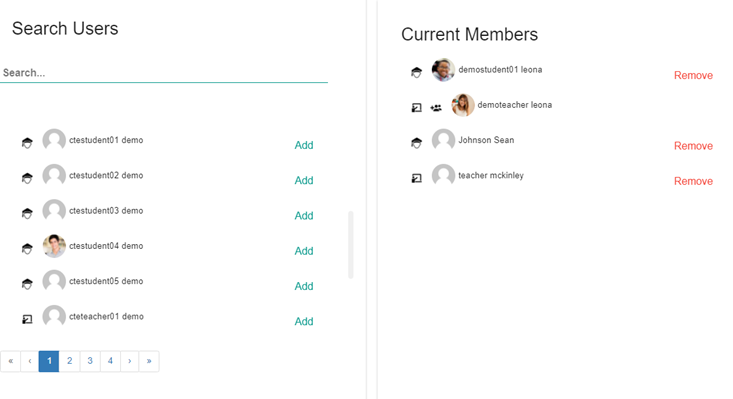
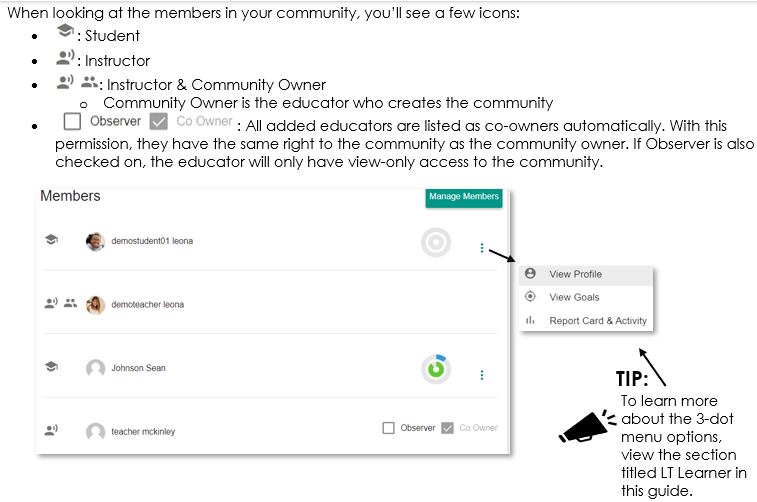
The Members tab will allow you to add/edit members, view a list of all members, view progress circles per student, and navigate to the student Profile, Goals, and Report Card & Activity. Clicking  will allow you to search, add, and remove members. To add a member, click ‘Add’ next to the name under Search Users. To remove a member, click ‘Remove’ next to the name under Current Members.
While viewing members to add/edit, you’ll see two icons: = Students ;
  = Educator/Admin
Comments
0 comments
Please sign in to leave a comment.