Skip to main content
How do I Create MCQ's questions?
- Log in to FocalPoint.
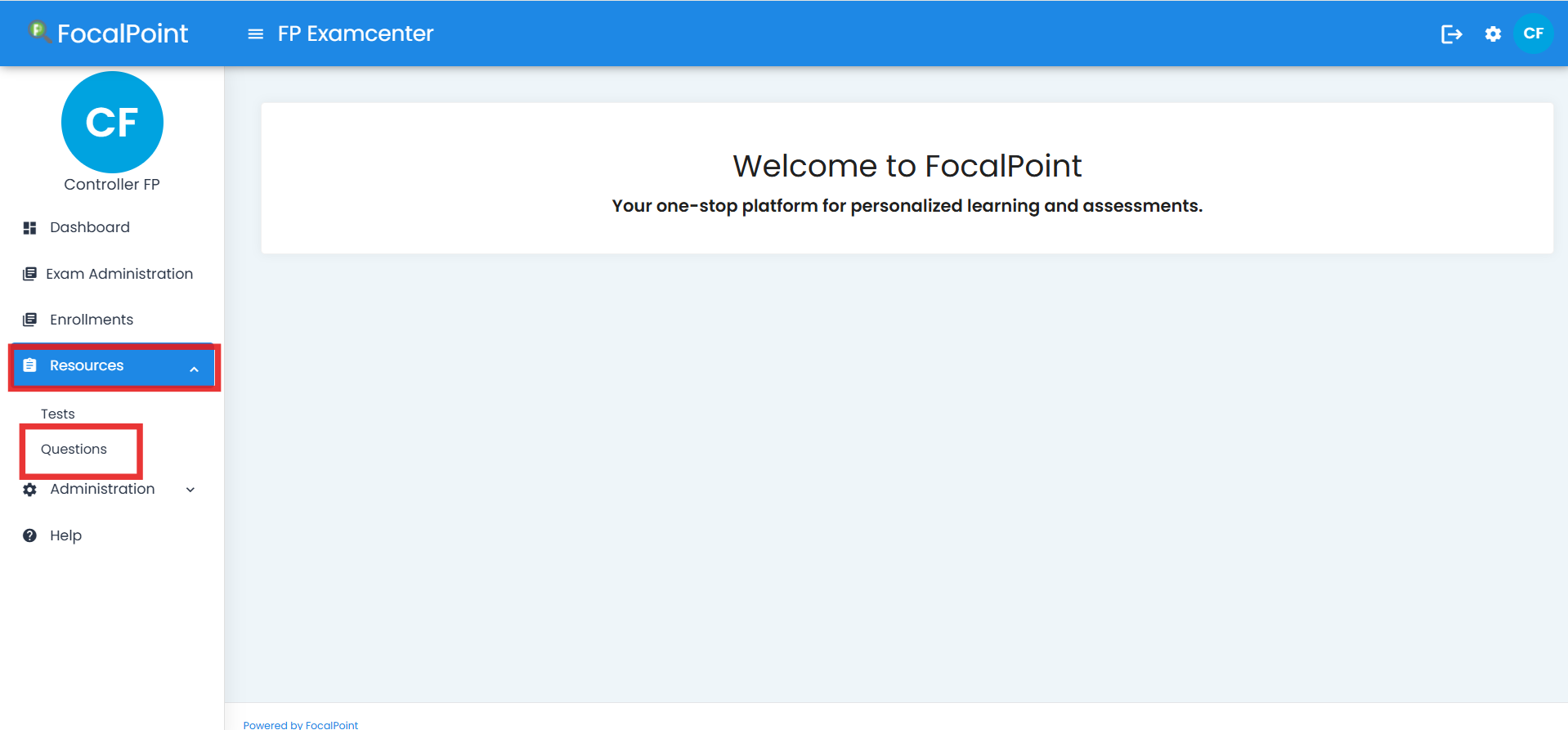
- On the left-hand side of the toolbar, navigate to the Resources tab and select Questions tab.
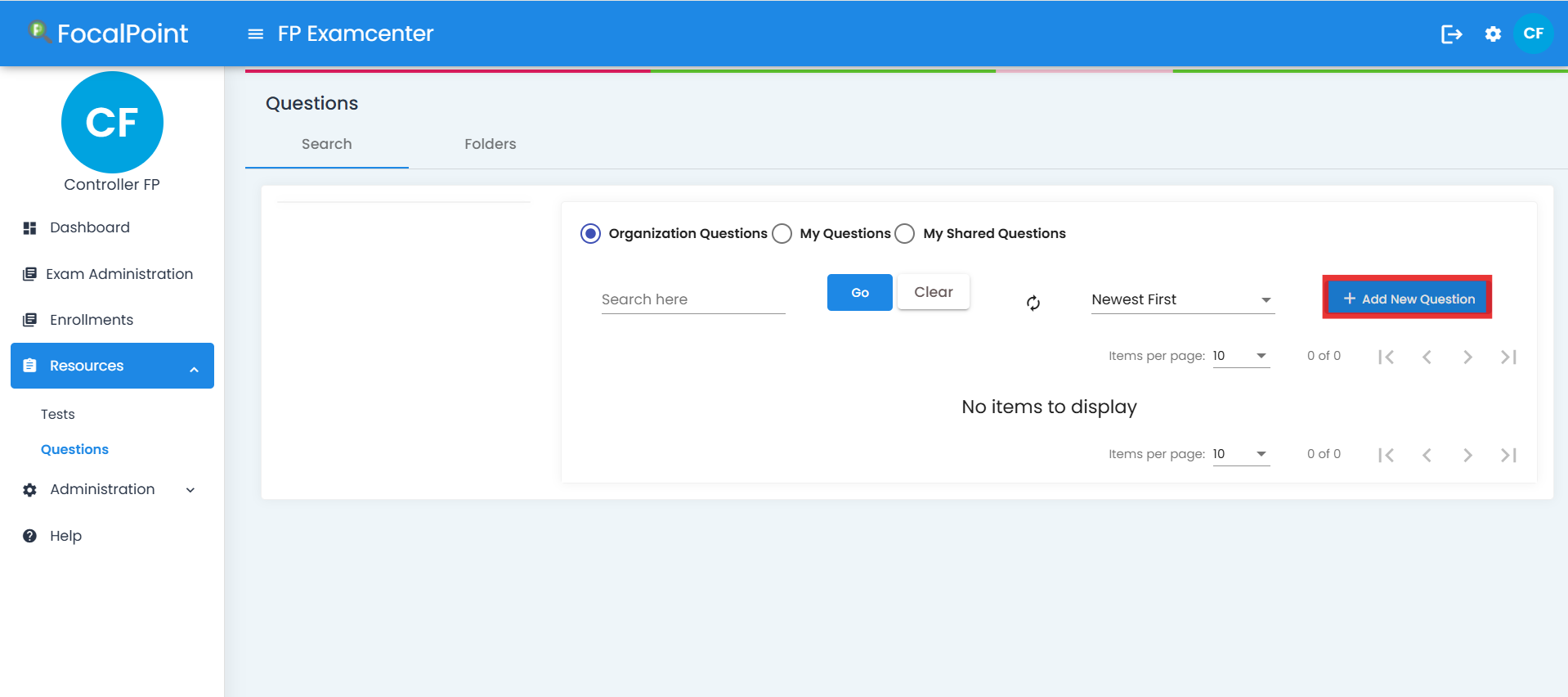
- Click on 'Add new question'.
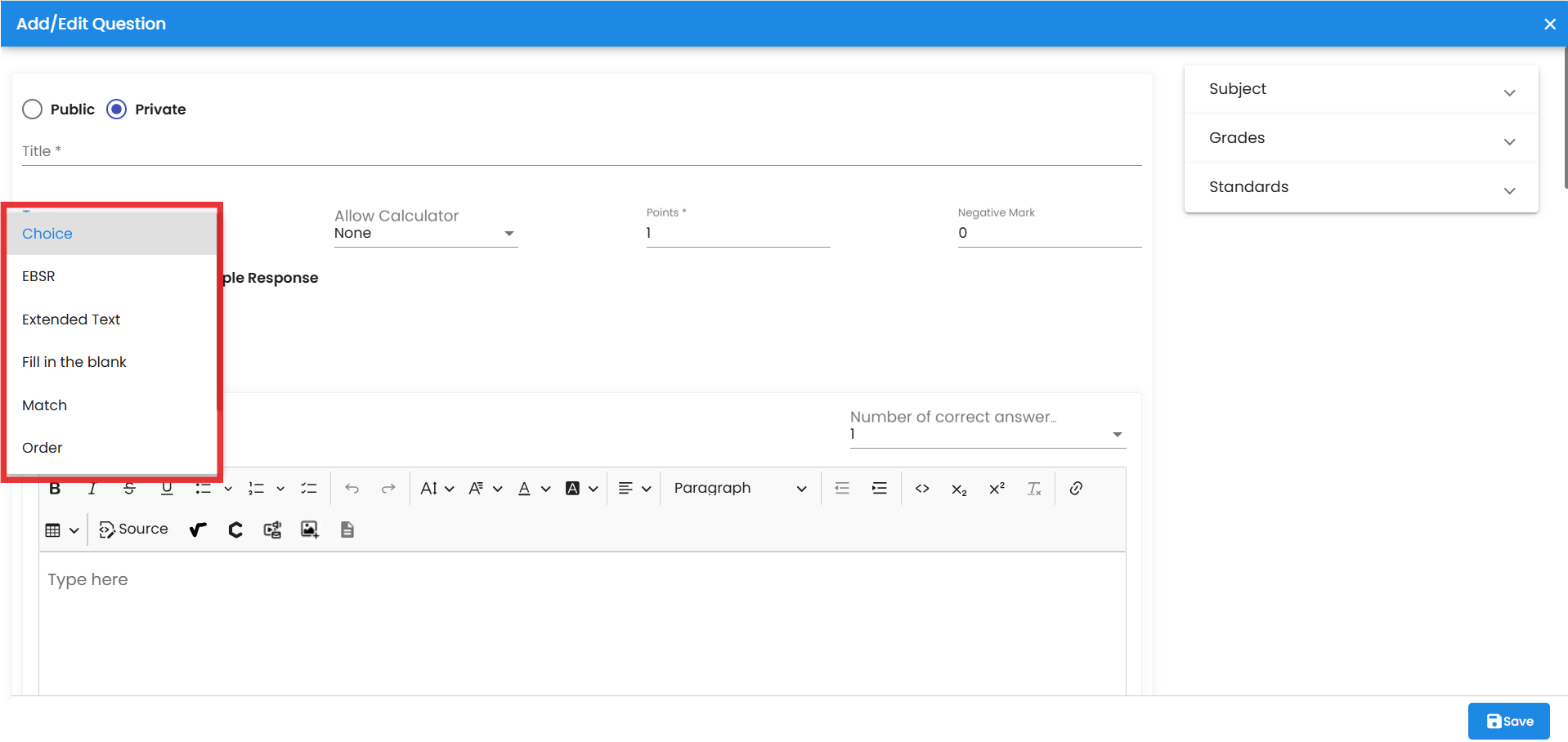
- To create a multiple-choice question: Select the interaction type as ‘choice’.
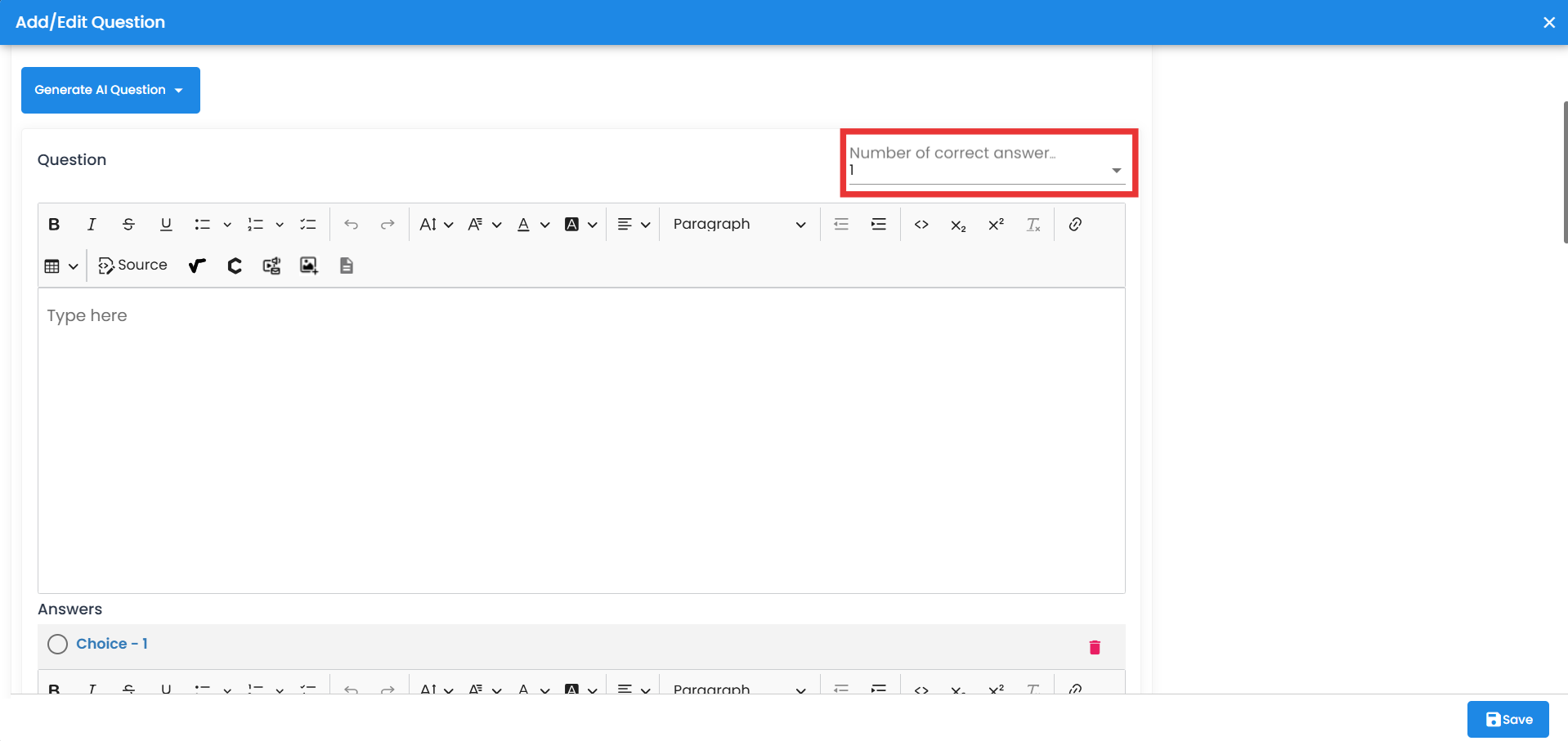
- Select the number of possible answers for the multiple-choice question from the drop-down menu. Use the text box to enter the question.
- You can also utilize the toolbar to insert images, tables, symbols, and other features to enhance your question.

Comments
0 comments
Please sign in to leave a comment.